


Themes
4.01.11K Reviews
App Specs
- Version
- 8.2
- Updated On
- License
- Free
- Downloads
- 50,000,000+
- Developer
- The Gosa Design
- Categories
- Personalization
- Platform
- Android, iOS
Screenshots
 Analysis by AppCompare
When I choose a personalization app, I want more than a striking preview: I want to know what I can change, how much control I keep, and whether browsing feels comfortable enough to use regularly. Themes is built around visual variety, and its appeal is easy to understand if you enjoy giving your phone a different look without starting from scratch. I’d treat it as a design library to explore at your own pace, rather than assuming every item will transform every part of every device in exactly the same way.
A large catalogue needs a little curation
The app comes from The Gosa Design and sits in the personalization category. Its catalogue is described as having thousands of themes and wallpapers, which gives you plenty to browse, but sheer volume can also make choosing harder. I find it useful to begin with a specific mood—dark and restrained, bright and playful, or built around a particular color—then compare a few candidates instead of scrolling without a plan.
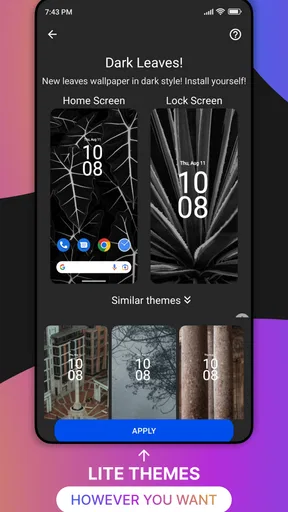
That approach matters because a theme is not just a picture: the overall effect depends on how its wallpaper, icons, and other visual elements work together on your screen. Before settling on one, I’d look closely at the preview and ask whether the design will remain comfortable behind app labels and widgets. A beautiful full-screen image can be less practical if it makes everyday information harder to read.
Check the fit before committing
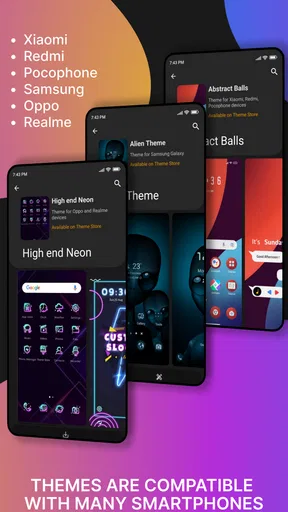
The published version is 8.2, and the app supports Android 6.0 and later. Compatibility is only the first check, though. Phone makers and Android setups handle visual customization differently, so I would preview an option carefully and confirm what changes on my own device before expecting a full interface makeover. If a particular launcher or icon style is important to you, test that part first rather than building your whole setup around an assumption.
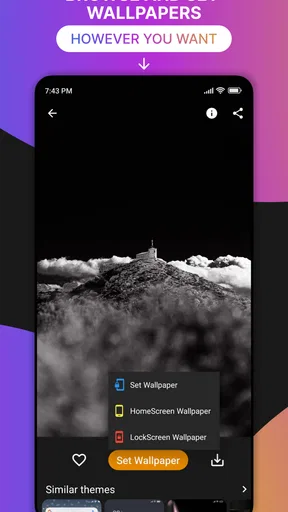
For a low-effort refresh, changing only the wallpaper is the safer starting point. It lets you see whether the colors suit your home screen without committing to a more coordinated look. If you like the result, you can explore the rest of a theme and decide whether its icons or styling add enough value to keep. That gradual workflow is especially useful if you have a carefully arranged home screen you do not want to rebuild.
A Dive into Customization
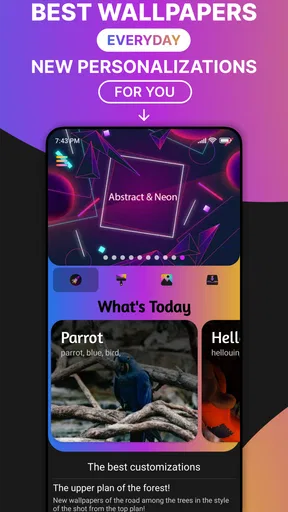
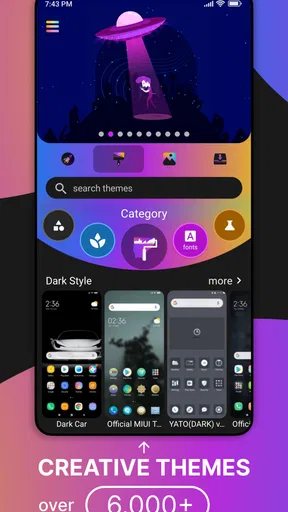
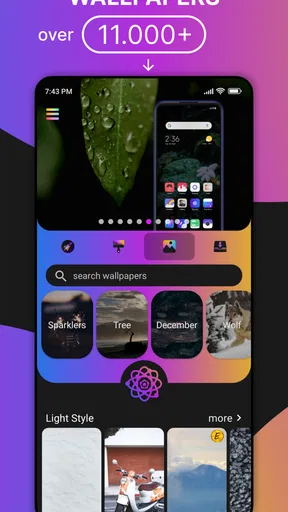
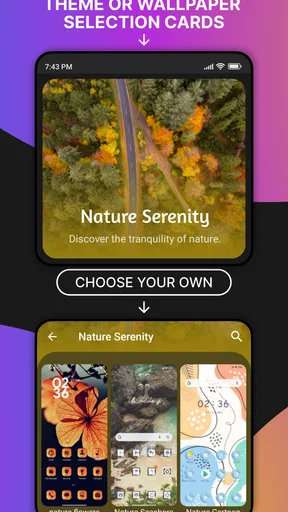
First things first, let’s talk about the sheer variety offered by Themes. As soon as you open the app, you’re greeted with a dazzling array of options. From minimalist styles to elaborate designs, there’s something here for everyone. Whether you’re into sleek, modern aesthetics or something a bit more whimsical, Themes has you covered.
One of the standout features is the app’s user-friendly interface. Navigating through the different categories is a breeze. You can effortlessly switch between themes, wallpapers, and icons, tailoring your phone’s look with just a few taps. It’s like having a wardrobe for your phone, and who doesn’t love a good fashion choice?
Worth Reading Before You Choose

Baby Panda World Brings Quick Play to Modern Phones, but Its Game Library Feels Busy

ESPN’s Live Game View Makes Following Close Games Easier

QuizzLand Review: A Good Fit for Short Trivia Breaks, Not Every Player

Basketball Stars: Multiplayer Is Fast, but Can It Recover When Matches Go Wrong?

WEBTOON Turns Phone Updates Into a Better Reading Routine

Link to Windows Runs on Shared Habits, Not Social Feeds
Transforming Your Phone
Now, let’s get into the nitty-gritty of how Themes actually performs in transforming your device. I started with a theme that promised to make my phone look like a retro arcade. The installation process was quick and painless. Within moments, my screen was awash with vibrant colors and pixelated icons that took me straight back to the ‘80s.
The level of detail in each theme is impressive. Icons are redesigned to complement the overall aesthetic, and the wallpapers are high-resolution, ensuring your screen looks crisp and clear. It’s these details that really elevate the experience, making your phone feel like a new device altogether.
Customization at Your Fingertips
But what if you’re the type who likes to mix and match? Themes doesn’t disappoint here either. You can pick and choose elements from different themes to create a truly unique look. Want the icons from one theme but the wallpaper from another? Go for it! This flexibility allows for endless customization, ensuring your phone reflects your personal style.
Additionally, the app offers seasonal and special event themes, which is a nice touch. Whether it’s Halloween, Christmas, or just a change in the weather, you can keep your phone’s look fresh and current.
Making the look work day to day
I’d use that mix-and-match flexibility to solve practical problems, not just chase a coordinated screenshot. For example, if a favorite wallpaper is busy, I’d pair it with simpler icons so the home screen stays easy to scan. If a theme’s icons feel too decorative for daily use, keeping the background and choosing a calmer set is a reasonable compromise. The useful question is not whether every element matches perfectly, but whether the result still helps me find the apps I open most often.
A realistic way to try the app is to make a small change while you have a few minutes free: preview a design, apply the part you like, then use the phone normally for a day. Check whether text remains legible in bright light, whether familiar icons are still easy to recognize, and whether the new colors feel tiring after repeated use. Those checks reveal more than judging a theme from its preview alone.
Trust, choices, and spending
The app is free to install and is rated for Everyone. It has a 4.1 average from around 728,000 ratings, with more than 50 million installs, so it has reached a broad audience. Those figures can help establish that it is widely used, but they do not tell me how it handles a particular permission or personal information. I would make that judgement by reading the permission prompts shown on my device and deciding whether each request makes sense for the action I’m trying to take.
The same cautious approach applies when browsing or applying a design. I would pay attention to any choice presented on screen, especially before allowing access or confirming a purchase, and avoid approving a request I cannot connect to the feature I want. I’m not assuming a particular account system or privacy control; the practical point is to use the choices Android actually displays and to pause when something feels unrelated to choosing a look.
There are in-app purchases, with individual items ranging from about fifty cents to nearly twenty-three dollars. That makes it worth checking the price attached to a specific item before tapping through, rather than treating the free download as a promise that every design costs nothing. If you only want to browse and make occasional changes, start with what is available without paying and decide later whether a paid item is genuinely worth it to you.
Performance and Usability
In terms of performance, Themes runs smoothly without bogging down your phone’s resources. I didn’t notice any lag or slowdowns, even with some of the more graphics-intensive themes. The app is well-optimized, which is crucial for maintaining your phone’s performance.
One thing I appreciated was the lack of intrusive ads. While there are some ads, they’re not overwhelming, and the overall experience remains pleasant. If you want to ditch the ads entirely, there’s a premium option available, which also unlocks additional exclusive themes.
How it compares with simpler options
Compared with changing a wallpaper through the phone’s built-in settings, this app is more appealing when you want to browse coordinated visual ideas and experiment with combinations. The built-in route is usually the more direct choice if all you need is one background and you prefer not to explore a separate catalogue. A dedicated icon pack or launcher may suit someone who wants deeper control over a specific part of the interface, while this app makes more sense for someone who enjoys sampling several kinds of visual change in one place.
That distinction also helps set expectations. A large selection is useful when you like variety, but it can be a distraction if your priority is a fixed, highly controlled layout. I would skip the app if I wanted every icon, widget, and system screen to be precisely adjustable or if I disliked browsing and promotional interruptions. For a quick refresh, however, being able to compare themes and wallpapers is a more enjoyable starting point than hunting for separate assets one by one.
Who will get the most from it
I think the best fit is someone who changes their visual style now and then, likes seasonal ideas, and is happy to test a design before settling on it. It can also suit a person setting up a new phone who wants to explore a few looks before arranging a home screen around one. If you use your phone for work and need a quiet, consistent interface, a restrained wallpaper or a minimal theme is likely more useful than a full, high-contrast makeover.
People who care most about privacy should take the same deliberate approach they would with any personalization app: review permission prompts, use only the access needed for the task, and make purchase decisions one item at a time. I can’t infer trustworthiness from popularity or from the app’s visual purpose alone. The sensible measure is whether the requests and choices presented during your own use are clear and proportionate to what you are trying to do.
Final Thoughts
Wrapping things up, Themes is a solid choice for anyone looking to breathe new life into their smartphone. The app’s vast selection of styles, ease of use, and attention to detail make it a standout in the world of customization apps. Whether you’re looking for a complete overhaul or just a subtle tweak, Themes delivers in spades.
So, if you’re ready to give your phone a makeover, why not give Themes a try? With its fun and flexible options, you might just find yourself spending more time customizing than you ever thought possible!
A cautious recommendation
My recommendation is to approach it as a place to discover visual ideas, not as a guarantee that every preview will behave identically across phones. Start with one change, check the result in ordinary use, and keep the parts that make your device easier or more enjoyable to use. If you prefer a simple, stable setup, the wallpaper options alone may be enough; if you enjoy refreshing the whole look, the broader selection gives you more room to play.
With a 4.1 average and 1.1 thousand reviews, Themes has a substantial audience and is free to try, while purchases remain optional choices to consider carefully. For me, that balance makes it worth exploring for personalization, provided you stay attentive to permissions, item prices, and how well a design fits your everyday screen. I’d recommend it to a curious customizer, but not to someone expecting a fully configurable system makeover with no compromises.
Pros
- User-friendly interface that's easy to navigate.
- Customizable themes for personalized experience.
- Regular updates keep features fresh.
- Low battery usage compared to competitors.
- Seamless integration with other apps.
Cons
- Limited free theme options available.
- Occasional minor bugs in older devices.
- Some features require in-app purchases.
- Ads can be intrusive at times.
- No offline mode for customization.
FAQs for Themes
What features does the Themes app offer?
The Themes app provides a wide variety of customization options for your device, including wallpapers, icon packs, widgets, and lock screen designs. It allows users to personalize their home screen with various themes that suit their style. Additionally, the app offers regular updates with new designs and seasonal themes.
Is the Themes app compatible with all Android and iOS devices?
The Themes app is designed to be compatible with most Android and iOS devices. However, some features might not be available on older operating systems. It's advisable to check the app's compatibility with your specific device model and OS version before downloading to ensure optimal performance.
Does the Themes app require a subscription for full access?
The Themes app offers both free and premium content. While basic themes and customization options are available at no cost, a subscription is required to access exclusive themes, ad-free experience, and regular premium content updates. Users can choose between monthly and yearly subscription plans.
How can I ensure the Themes app won't drain my battery?
To prevent battery drain, the Themes app is optimized for efficient performance. However, using animated wallpapers and widgets might consume more power. Users can manage battery usage by selecting static wallpapers and limiting the number of active widgets. Always ensure the app is updated to the latest version for improved efficiency.
Is it safe to download themes from the app?
Yes, it is safe to download themes from the Themes app, as all content is curated and regularly scanned for security. However, it's important to download themes only from the official app to avoid any potential security risks associated with third-party sources. The app follows strict privacy policies to protect user data.


